


Hawaii News Now
2.8997.00 Reviews
App Specs
- Version
- Varies with Device
- Updated On
- License
- Free
- Downloads
- 100,000+
- Developer
- Gray Media
- Categories
- News & Magazines
- Platform
- Android
Screenshots

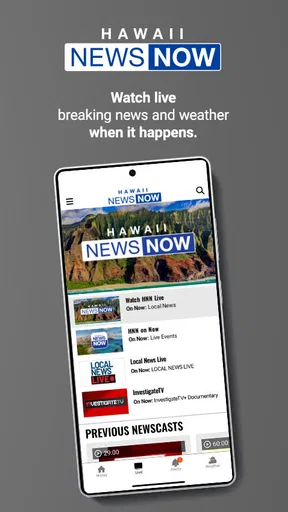

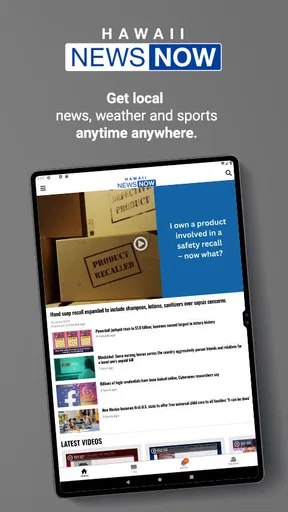
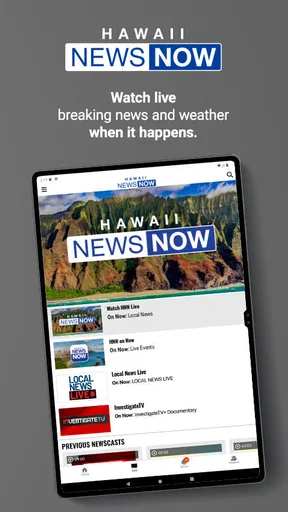

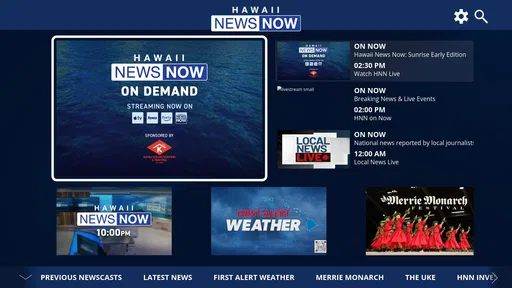

 Analysis by AppCompare
I approached Hawaii News Now as a practical local-news tool rather than something to open once and forget. Developed by Gray Media, this free News & Magazines app is aimed at people who want Hawaii-focused updates close at hand, especially when a developing story matters more than a broad national news feed. Its basic promise is simple: keep breaking information available on a phone. In my experience, the real question is not whether that idea is useful, but whether the app fits the way you personally follow news.
The app has been available since July 14, 2011, and it is rated for Everyone, which makes it approachable for a wide range of readers. It has passed 100K installs, while its average rating sits at 2.8 from roughly 3.1K ratings and 997 written reviews. I would read those figures as a reason to set expectations carefully: the app clearly has an audience, but the experience may not feel equally smooth on every phone, connection, or software setup.
Where people usually get stuck
The first point of friction is often expectation. A local news app is most useful when you need Hawaii-specific coverage, but it is not automatically a complete replacement for every source you use. If I want a quick local update, this is more focused than scrolling through a general news aggregator. If I want a wide selection of international reporting, opinion, business coverage, or stories from several regions, I would use a broader news app alongside it.
That distinction matters during a busy morning. Imagine checking your phone before work because you have heard about a developing situation. A focused local app can help you look for relevant regional reporting without sorting through unrelated headlines. However, if you are expecting every important story to appear in one universal stream, you may find the narrower purpose limiting. The value comes from its local emphasis, not from trying to cover everything.
Another common stumbling block is treating a delayed or incomplete screen as proof that the service itself is broken. News applications depend on several moving parts: the phone, the operating system, the network, the app installation, and the publishing side of the news service. A blank page, slow refresh, or missing update can come from any one of those layers. I find it more useful to diagnose the path from connection to content instead of immediately reinstalling.
The most important practical habit is to separate access problems from news-availability problems. If the app opens but a particular story is not visible, that is different from the app failing to launch. The first situation may relate to publishing timing or the way the feed is organized; the second points more toward the device, installation, or connection. Keeping those cases separate saves time and prevents unnecessary changes.
What to check before blaming the app
I would begin with the simplest test: close the app fully, open it again, and try the same action once more. If the screen loads after that, the issue may have been temporary. I would then compare the result on another connection, such as switching between mobile data and Wi-Fi when that option is available. A news feed can appear unreliable when the actual problem is an unstable network or a connection that works for some services but not others.
Worth Reading Before You Choose

EA SPORTS FC Mobile 26 Is a Bigger Football Game, but It Takes Time

Flipboard Shows What News Apps Must Do Beyond the Feed

Switching to Android Auto Means Rethinking Your Driving Routine

Google Calendar Makes a Crowded Week Easier to Manage

Ludo King Makes the Most of the Minutes Between Plans

Baby Panda World Brings Quick Play to Modern Phones, but Its Game Library Feels Busy
If other apps are also slow, the evidence points away from Hawaii News Now. In that case, restarting the connection or the phone is a sensible first step. I would avoid repeatedly tapping refresh, because that can make a weak connection feel even less responsive. One deliberate retry after the network settles is more informative than a series of impatient attempts.
Storage is another easy check. Phones with very little free space can behave unpredictably, particularly when an app needs to update or save temporary content. I would look at available storage before deleting the app. Removing unrelated files or unused apps may solve a wider device problem without sacrificing the news app’s current setup.
It is also worth checking whether the phone’s date and time are set correctly. Incorrect system time can interfere with secure connections and make online services behave strangely. This is a general device check, not a claim about a special requirement from Gray Media, but it is a useful thing to verify when several online apps are misbehaving at once.
A calmer setup routine
When I install a local news app, I prefer to start with the basic experience rather than changing every available phone setting immediately. I open it on a reliable connection, allow the initial content to load, and spend a few minutes learning how its main screen is arranged. That gives me a baseline. If something goes wrong later, I know whether the problem is new or whether I simply misunderstood where a story appears.
I would also keep the app and the phone’s operating system reasonably current through the normal update process. Updates can improve compatibility, but I would not assume that every update fixes every problem. After an update, I would open the app and test the specific action I care about, such as loading the main news view or opening a story. That is more useful than judging the entire experience from one slow launch.
Notifications deserve a measured approach. If the phone offers notification controls, I would choose a level that matches my routine rather than enabling every alert automatically. Someone who needs immediate awareness of local developments may accept more interruptions. Someone who checks news at set times may prefer a quieter phone and open the app manually. The right choice is personal, and changing it later is usually easier than trying to recover from notification overload.
Privacy-conscious readers should review the phone’s permission prompts and system controls in their own words before accepting anything. I would grant only what feels necessary for the way I intend to use the app. Since this is a news reader, I would not treat every optional request as essential to reading articles. At the same time, I would not claim that a permission is unnecessary without seeing the exact prompt on the device, because prompts can vary by operating system and app version.
One useful setup trick is to decide what “success” means before troubleshooting. For me, that means the app opens, the main news content appears, and I can return to it after leaving. If those basics work, I would use the app for a day before making a final judgment. A first launch can be slower than normal, and a single missing story does not tell me enough about the everyday experience.
Recovering a broken workflow
When the normal reading routine breaks, I would troubleshoot in stages rather than jumping straight to a reset. First, I would close and reopen the app. Next, I would test another connection and check whether the rest of the phone is online. Then I would restart the device. These steps are intentionally ordinary, but they isolate common causes without risking local settings or forcing a complete reinstall.
If the app opens but one article will not load, I would return to the main screen and try a different item. That comparison is valuable. If several stories load and one does not, the problem may be limited to that piece or to a temporary publishing issue. If nothing loads, the connection or app session becomes a stronger suspect. I would also try again later rather than repeatedly opening the same failed page.
For people who rely on news during commutes or travel, the trade-off is predictability. A live news app is most useful when the phone can reach its content at the moment you need it. I would not build an emergency communication plan around any single news app. For important safety information, I would use the official local channels appropriate to the situation as well. Hawaii News Now can be part of my information routine, but it should not be my only source when consequences are serious.
If a restart and connection check do not help, I would inspect the app’s system settings and look for ordinary options such as stopping it or clearing temporary data, where the phone provides them. I would be cautious with any action that removes saved preferences or signs me out. Because Android and iOS present these controls differently, I would read the wording on my device before confirming. The goal is to refresh the app without creating a second problem.
Reinstallation is a later step, not my opening move. It can help when an installation has become damaged, but it also removes the convenience of the current setup and may require me to configure preferences again. Before using it, I would make sure I know how to access the app afterward and that I am not relying on information stored only inside the app. A reinstall is reasonable when the app consistently fails to open or behaves incorrectly after simpler checks, but it is excessive for one slow story.
When the app is not the cause
News is unusual compared with a static utility because the content changes independently of the software. A story may be developing, revised, moved, or not yet published. If I open the app expecting a specific headline and do not see it, I would first check the broader news presentation instead of assuming the app has lost the story. A local newsroom’s publishing rhythm and the app’s display are related, but they are not identical.
Network filtering can also confuse the diagnosis. Public Wi-Fi, workplace networks, hotel connections, and crowded mobile areas may restrict or slow some online traffic. If the app works on one connection but not another, I would treat that as a network clue. I would not keep changing app settings when the same phone behaves differently depending on where it connects.
Device age and background load matter too. An older phone with many active processes may take longer to open a content-heavy screen than a newer device. Closing unused apps, restarting the phone, and freeing storage are reasonable general steps. I would avoid promising that they will solve every issue, but they can reveal whether the phone itself is under strain.
There is also a human factor: fast-moving news can create a false sense of failure. I might refresh because I expect a new update every few minutes, even though there is no new report to display. In that situation, the app may be doing exactly what it should. I prefer to check at sensible intervals and compare important information with another trustworthy source rather than turning the app into a constant refresh loop.
How it fits beside other news choices
Compared with a general aggregator, Hawaii News Now makes more sense when regional relevance is the priority. An aggregator is better for collecting many publishers, topics, and locations in one place. That breadth can be convenient, but it also means more filtering. I would choose the local app when I want a direct route to Hawaii-focused coverage and the aggregator when I want to scan the wider world.
Compared with a browser, the app offers a more focused starting point. A browser gives me flexibility to visit many sites and search for a particular detail, but it also introduces more tabs, menus, and distractions. The app is the better fit for a quick check of the news stream; the browser is better when I need to investigate several sources or find an older item through search.
Compared with television or radio, a phone app is more convenient for checking information on my own schedule. Traditional broadcasts can provide context and a sense of sequence, while an app lets me look when I have a spare minute. I would not treat one format as universally superior. For a fast update, I prefer the phone. For a longer explanation, another format may be easier to follow.
The app’s free price lowers the barrier to trying it, and the Everyone content rating makes it suitable for a broad household audience. Still, “free” does not mean it will suit every reader. People who want a highly customizable national news dashboard, extensive cross-source comparison, or a single place for many regions may be happier with a different tool. The local focus is its reason to exist, and also the boundary of its usefulness.
My practical verdict
I would recommend Hawaii News Now to someone who wants a straightforward way to keep Hawaii-related news within easy reach, especially if local relevance matters more than having a huge range of publishers. Gray Media has kept the app in the news-and-magazines space for many years, and its established install base suggests that it serves a real audience. My recommendation is qualified because the modest average rating signals that some users encounter friction, so I would test it on my own phone rather than assuming a perfect experience.
The strongest workflow is simple: install it, open it on a dependable connection, learn where the main content appears, and decide how often you actually want to check it. If something fails, compare the behavior across connections and across different stories before resetting anything. That approach helps distinguish a temporary feed issue from a device problem and protects you from unnecessary reinstallations.
I would skip it if my main goal were a worldwide news dashboard, deep search across many publications, or a highly personalized reading system. I would also avoid depending on it as the sole channel for urgent safety decisions. For those needs, broader or official sources may be more appropriate. But for a reader who wants local news in a free, phone-based format, it is a reasonable app to try.
My final view is that Hawaii News Now is most valuable as a focused local-news companion, not as an all-purpose information hub. Its usefulness depends on matching that purpose to your routine and on handling ordinary setup problems patiently. If you want quick access to Hawaii coverage and are comfortable keeping another source for broader context, I think it deserves a place on your phone. If you need maximum breadth and customization, I would look elsewhere.
Pros
- Covers breaking news
- weather
- traffic
- and local events in one app.
- Useful live video streams for major Hawaii news stories and broadcasts.
- Weather forecasts include radar
- alerts
- and location-based updates.
- Push notifications can deliver important local news quickly.
- Focuses on Hawaii communities rather than broad national coverage.
Cons
- Some features may require a stable internet connection or significant data use.
- Frequent notifications can feel excessive unless notification settings are adjusted.
- Advertising may interrupt browsing and reduce the reading experience.
- Coverage is mainly useful to Hawaii residents and visitors
- not global audiences.
- Some articles may offer limited detail compared with the full TV broadcast.
FAQs for Hawaii News Now
What is Hawaii News Now?
Hawaii News Now is a local news and information app focused on events across Hawaii. It typically provides access to breaking news, weather forecasts, traffic updates, video reports, community stories, and coverage from the Hawaii News Now television stations. The app is designed for residents, visitors, and anyone who wants to follow developments on the islands from a mobile device.
What type of content can I find in the Hawaii News Now app?
The app usually includes local, national, and international headlines, along with dedicated sections for weather, sports, politics, business, entertainment, and community news. Users can also find live or on-demand video reports, weather radar, forecast details, severe-weather alerts, and updates related to major events. Available sections and features may vary depending on location and app version.
Does Hawaii News Now provide live news and weather alerts?
Hawaii News Now may offer live newscasts, live streams, breaking-news notifications, and weather alerts, depending on your device, location, internet connection, and current service availability. Notifications can be useful during hurricanes, flooding, volcanic activity, earthquakes, or other emergencies. However, the app should not be considered a replacement for official emergency instructions from local authorities.
Is the Hawaii News Now app free to download and use?
The Hawaii News Now app is generally available to download at no charge, and many news articles, videos, forecasts, and alerts can usually be accessed for free. Nevertheless, mobile data charges may apply when streaming video or using the app away from Wi-Fi. Some content or features could also be affected by advertising, regional restrictions, or changes introduced in future updates.
What permissions and internet connection does Hawaii News Now require?
To work properly, Hawaii News Now generally needs an internet connection for loading articles, streaming videos, updating forecasts, and delivering current news. Depending on the features you enable, the app may request permission to send notifications and use your location for localized weather or news. Review these permissions during installation and adjust them in your Android or iOS settings if necessary.


